
从 Cryptopals 学习 XOR 密码分析
Cryptopals Set 1 很适合作为密码学实验的开头。它没有一上来就做复杂协议,而是让人先把几个基础动作练扎实:
hex/base64/bytes 的转换 |
本文全部使用 Cryptopals 的真实题目数据和 challenge-data 文件,不用自造小样例替代平台数据。
实验文件拆成了 6 个独立脚本:
01_convert_hex_to_base64.py |
这样做的好处是每个子题可以单独运行、单独截图、单独看日志,后面写报告也更清楚。
1. 所有操作先回到 bytes
XOR 是按 bit/byte 做的运算。hex 和 base64 都只是编码格式。
所以基本流程应该是:
hex string -> bytes -> XOR/分析 -> bytes -> hex/base64/text |
不要直接在 "1c0111..." 这种字符串字符上 XOR。那样 XOR 的是字符 '1'、'c'、'0' 的 ASCII,而不是原始字节。
2. Convert hex to base64
第一题给出的 hex 字符串是:
49276d206b696c6c696e6720796f757220627261696e206c696b65206120706f69736f6e6f7573206d757368726f6f6d |
目标 base64 是:
SSdtIGtpbGxpbmcgeW91ciBicmFpbiBsaWtlIGEgcG9pc29ub3VzIG11c2hyb29t |
代码:
import base64 |
运行:
python work\experiment_01_cryptopals_xor\01_convert_hex_to_base64.py |
真实 VSCode 截图:
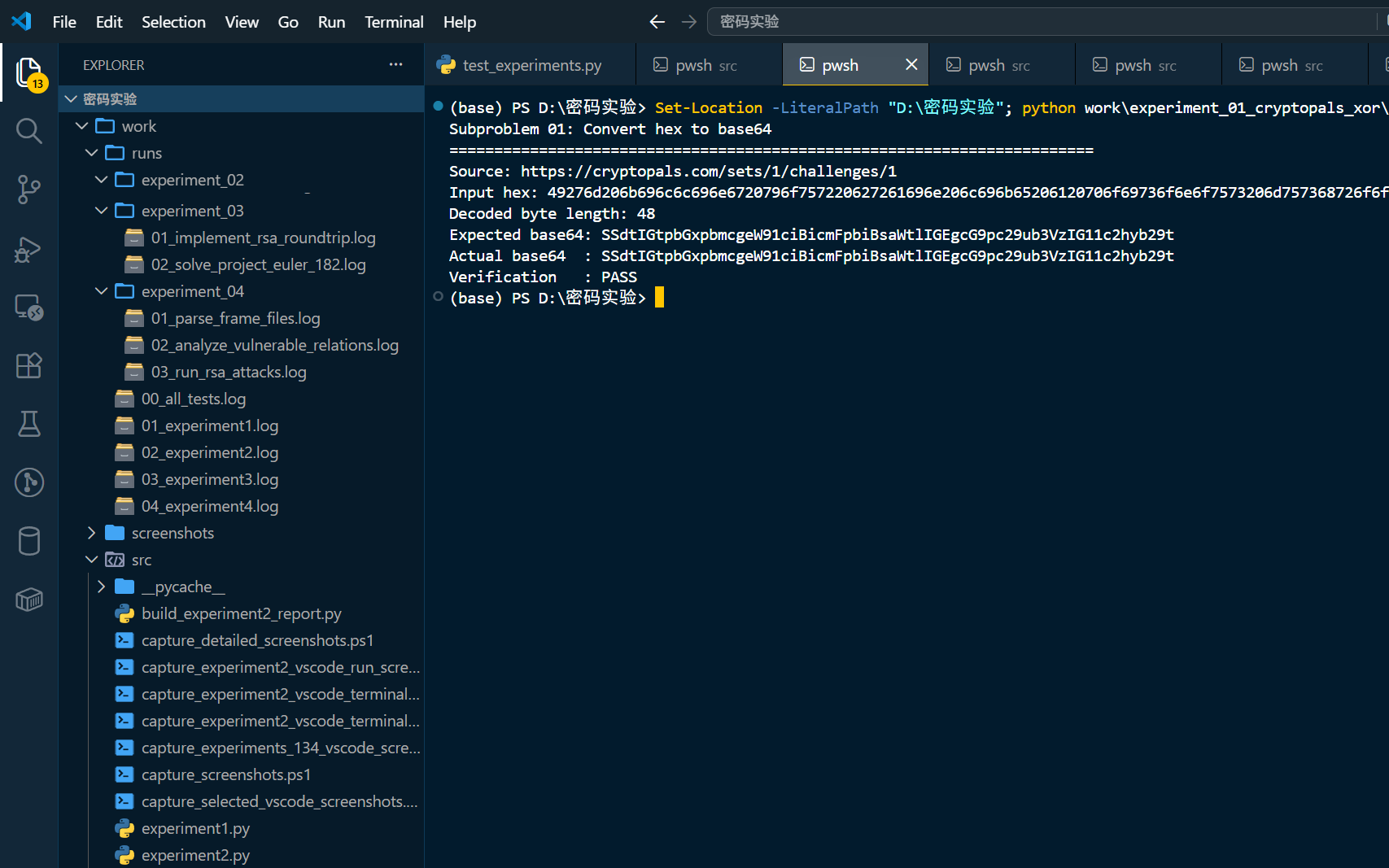
截图里可以看到 Expected base64 和 Actual base64 一致,验证结果为 PASS。
3. Fixed XOR
第二题给出两个等长 buffer:
1c0111001f010100061a024b53535009181c |
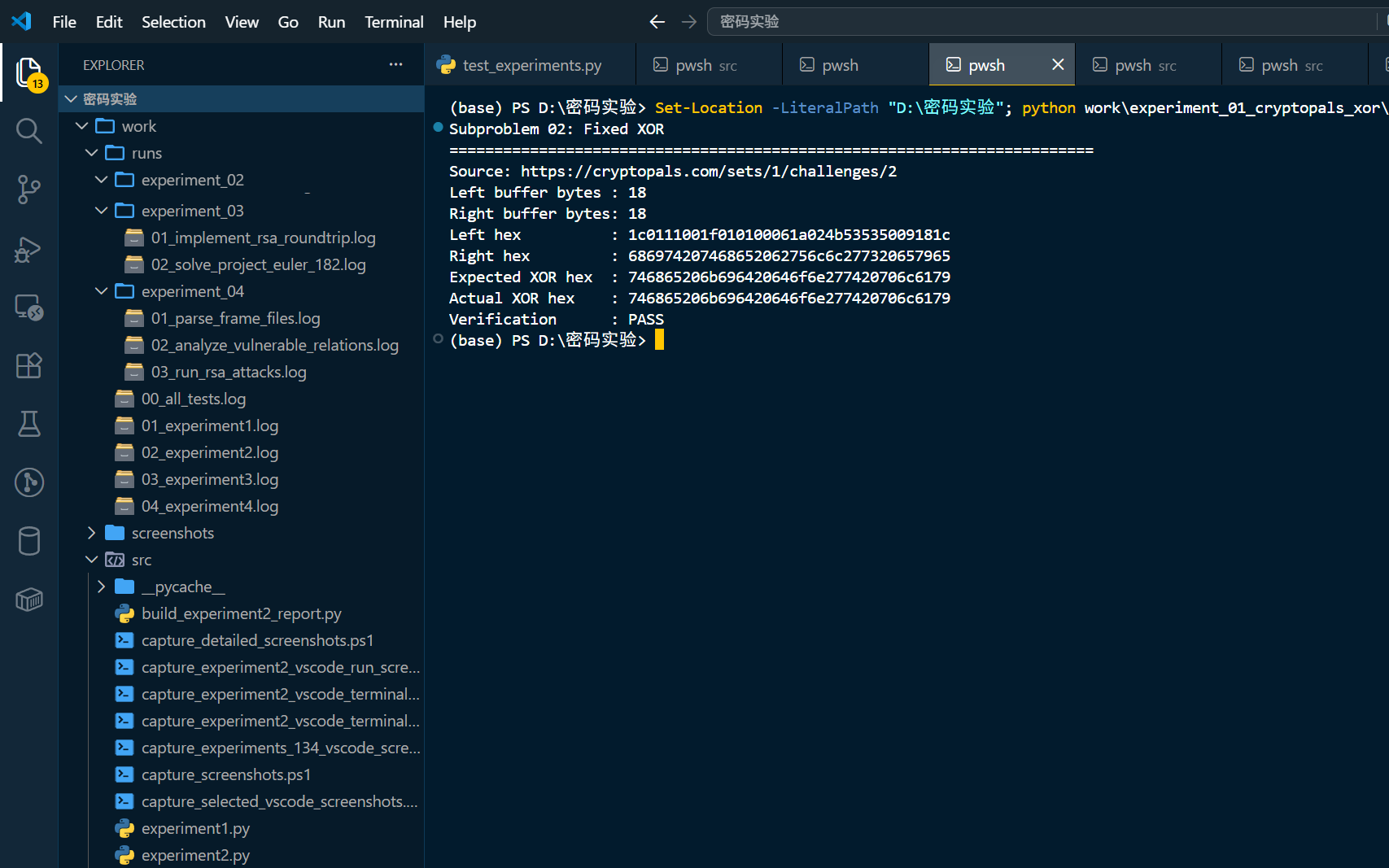
要求逐字节 XOR,结果为:
746865206b696420646f6e277420706c6179 |
实现:
def fixed_xor(left_hex: str, right_hex: str) -> str: |
这里一定要检查长度。固定 XOR 的两个输入长度不一致时,不能悄悄截断。
运行截图:
4. Single-byte XOR cipher
第三题给出一个被单字节 XOR 加密的 hex:
1b37373331363f78151b7f2b783431333d78397828372d363c78373e783a393b3736 |
单字节 XOR 的密钥只有 256 种,所以可以全枚举。关键不在枚举,而在如何判断哪个候选明文最像英文。
一个简单评分函数:
def english_score(data: bytes) -> float: |
破译函数:
def break_single_byte_xor(ciphertext: bytes) -> XorCandidate: |
运行截图:
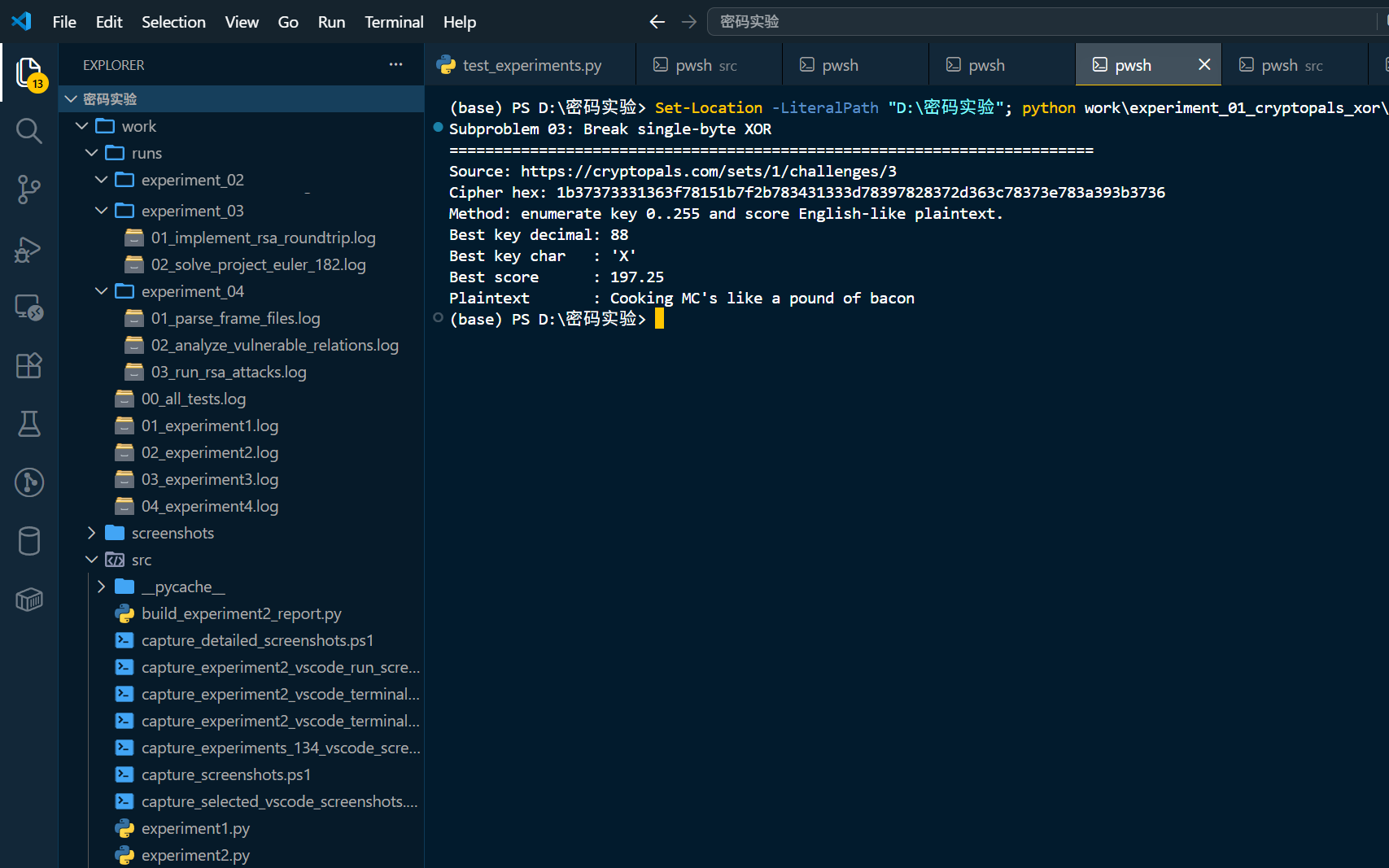
结果:
Best key decimal: 88 |
5. Detect single-character XOR
第四题给的是平台文件:
https://cryptopals.com/static/challenge-data/4.txt |
本地保存为:
work/evidence/cryptopals.com_static_challenge-data_4.txt.txt |
文件有 327 行,每行都是一个 hex 字符串,其中只有一行被单字节 XOR 加密。
思路就是把第三题的破解器套到每一行:
def detect_single_character_xor(lines: list[str]) -> tuple[int, XorCandidate]: |
运行截图:
结果:
Total candidate lines: 327 |
6. Implement repeating-key XOR
第五题实现重复密钥 XOR。题目给出的 key 是:
ICE |
明文是:
Burning 'em, if you ain't quick and nimble |
实现:
def repeating_key_xor(plaintext: bytes, key: bytes) -> bytes: |
i % len(key) 表示密钥循环使用。
运行截图:
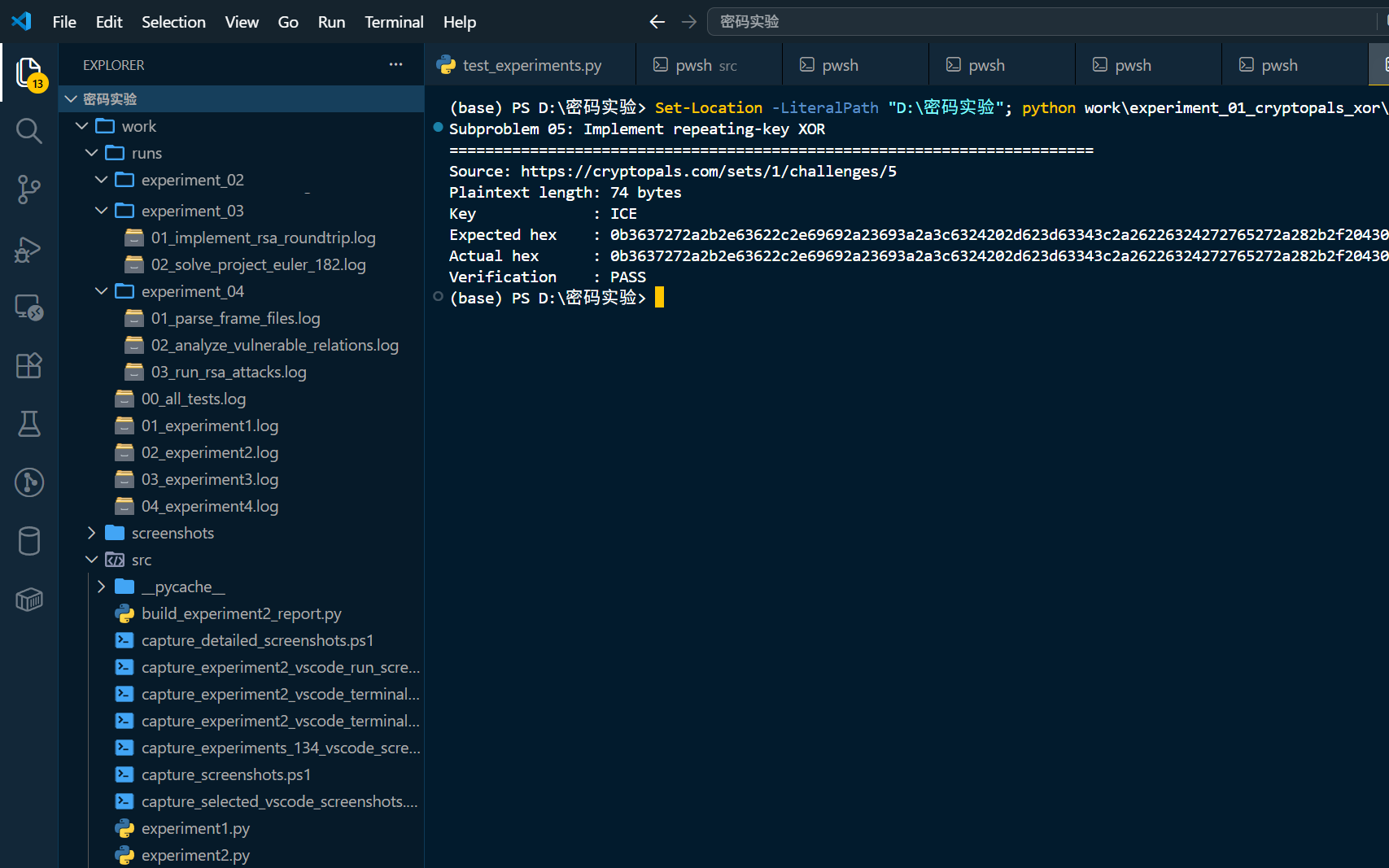
脚本会把实际输出和题目期望 hex 比较,验证为 PASS。
7. Break repeating-key XOR
第六题是 Set 1 里最有代表性的题。真实数据来自:
https://cryptopals.com/static/challenge-data/6.txt |
这个文件先被 repeating-key XOR 加密,再被 base64 编码。
破译步骤:
1. base64 解码得到 ciphertext |
Hamming distance 是两个等长字节串不同 bit 的数量。
题目给了自检:
distance("this is a test", "wokka wokka!!!") = 37 |
代码:
def hamming_distance(left: bytes, right: bytes) -> int: |
keysize 评分:
for key_size in range(2, 41): |
转置后,每个 offset 对应一个密钥字节:
key = bytes( |
运行截图:
真实输出:
Decoded ciphertext length: 2876 bytes |
明文开头:
I'm back and I'm ringin' the bell |
8. 单元测试
最后用 unittest 把平台样例、Hamming distance、重复密钥 XOR、MTC3 SHA1 等一起测了一遍。
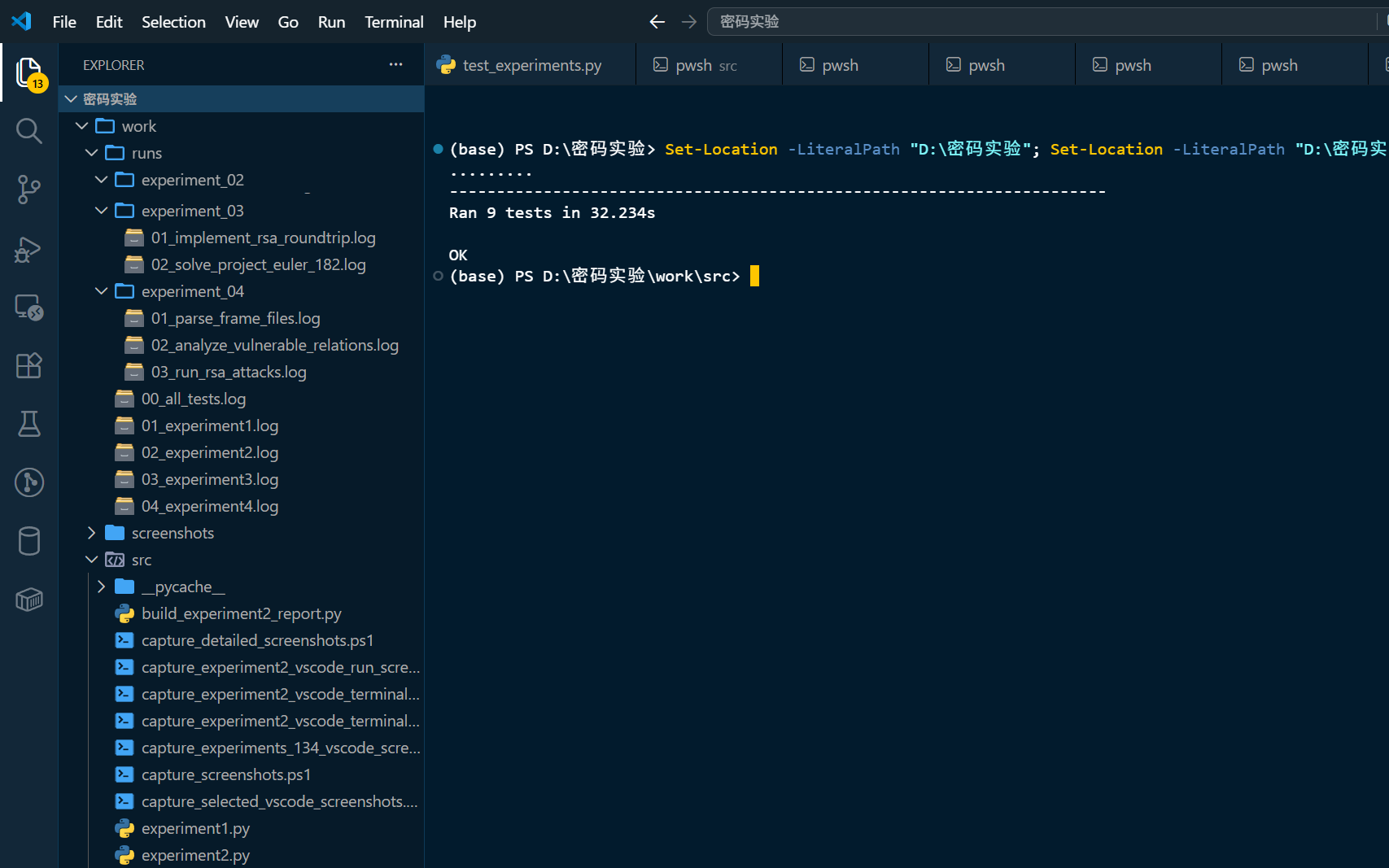
结果:
Ran 9 tests |
9. 常见问题
9.1 在编码字符串上直接 XOR
错误做法:
"1c0111..." xor "686974..." |
正确做法:
bytes.fromhex("1c0111...") xor bytes.fromhex("686974...") |
9.2 英文评分只看字母
空格非常重要。真实英文里空格出现频率很高,给空格较高权重可以明显提升单字节 XOR 破解效果。
9.3 keysize 只比较前两块
只比较前两块会有偶然性。取多个块两两比较,再求平均,结果更稳。
9.4 解 base64 时忘记去掉文本换行
平台数据是多行 base64。用 Python base64.b64decode() 处理完整文本即可,不要自己按行乱拼。
10. 小结
XOR 题看起来基础,但它训练了密码学实验里最重要的几个习惯:
先确认数据来源 |
这些习惯后面做 AES、CBC、RSA 时仍然有用。
参考资料
- Cryptopals Set 1: https://cryptopals.com/sets/1
- Cryptopals Challenge 4 data: https://cryptopals.com/static/challenge-data/4.txt
- Cryptopals Challenge 6 data: https://cryptopals.com/static/challenge-data/6.txt